
29/7/2020
Loris Viana
Using the Attribute Pool functionality

The "Attribute pool" function lets you associate a set of values for any configurable parameter in a Bria profile. It allows several values to be entered for a single attribute, each of which is then assigned to the user according to the device used.
A common use case for attribute pools is to bypass a SIP server that doesn't offer multi-device registration, in other words, doesn't allow multiple devices to be connected to a single SIP account.
Without this feature, it would be impossible to attach multiple devices to one user in Stretto, so we'd have multiple Stretto users for one real person.
In this guide, we'll look at how to set up such a solution using this feature.
Attribute pool creation :
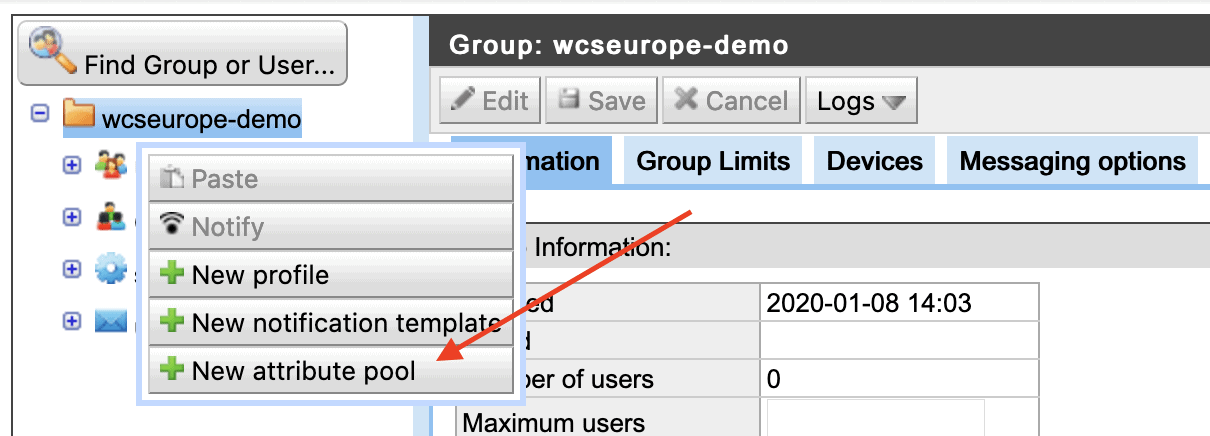
1. Log on to the Bria Stretto administration interface, right-click on your group and select "New Attribute Pool".
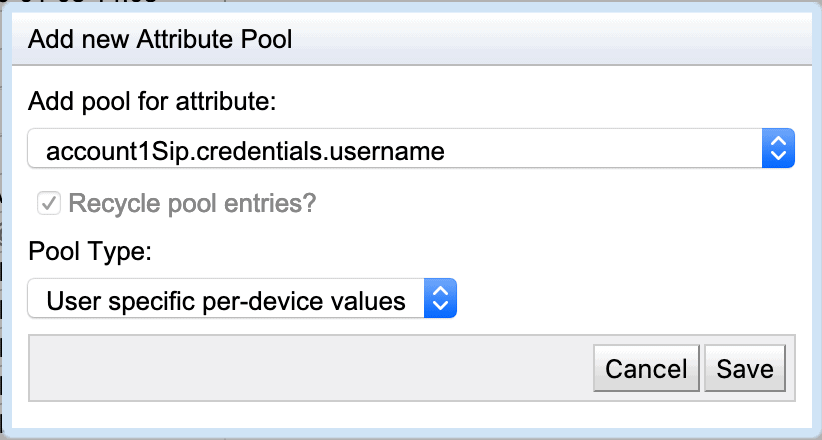
2. In the dialog box, select the attribute for which you want to create a pool. In our case, you'll need to create two pools, one for the SIP account name (accountN.credentials.username) and one for the account password (accountN.credentials.password).
Note: Entries are assigned in the order in which they were created, so enter the password and corresponding login in the same order.
The "Recycle pool entries" box lets you decide whether or not to reuse entries that are no longer in use. In our case, we'll check this box: if a device is deleted, the entry will return to the pool and will be available for the next device.
The "Pool Type" corresponds to the way in which the inputs will be used. There are 3 types:
- Group-wide user values: one entry is allocated per user.
- Group-wide per-device values: one entry is allocated per device.
- User specific per-device values: entries are associated with a user, with one entry allocated for each of the user's devices. This is the option we'll be using in our case.
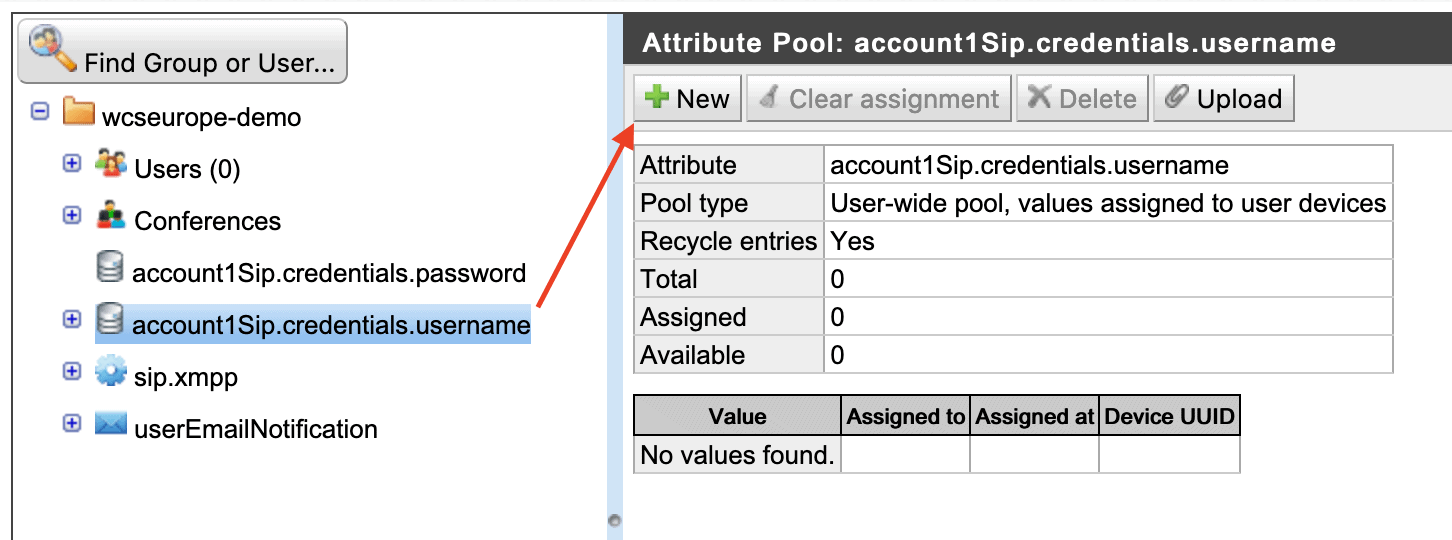
3. You can now fill your pools with your entries. Click on your pool, then on the "New" button. In our case, you'll need to enter the username for which this attribute is intended, as well as the value (password or SIP ID in our case), then click on "save".
Displaying the attribute pool :
The "Take from pool?" box assigns the value entered for a user when the pool is created.
This is checked by default when a new user is created.

If the attribute has an initial value, the box is unchecked.
